Charts
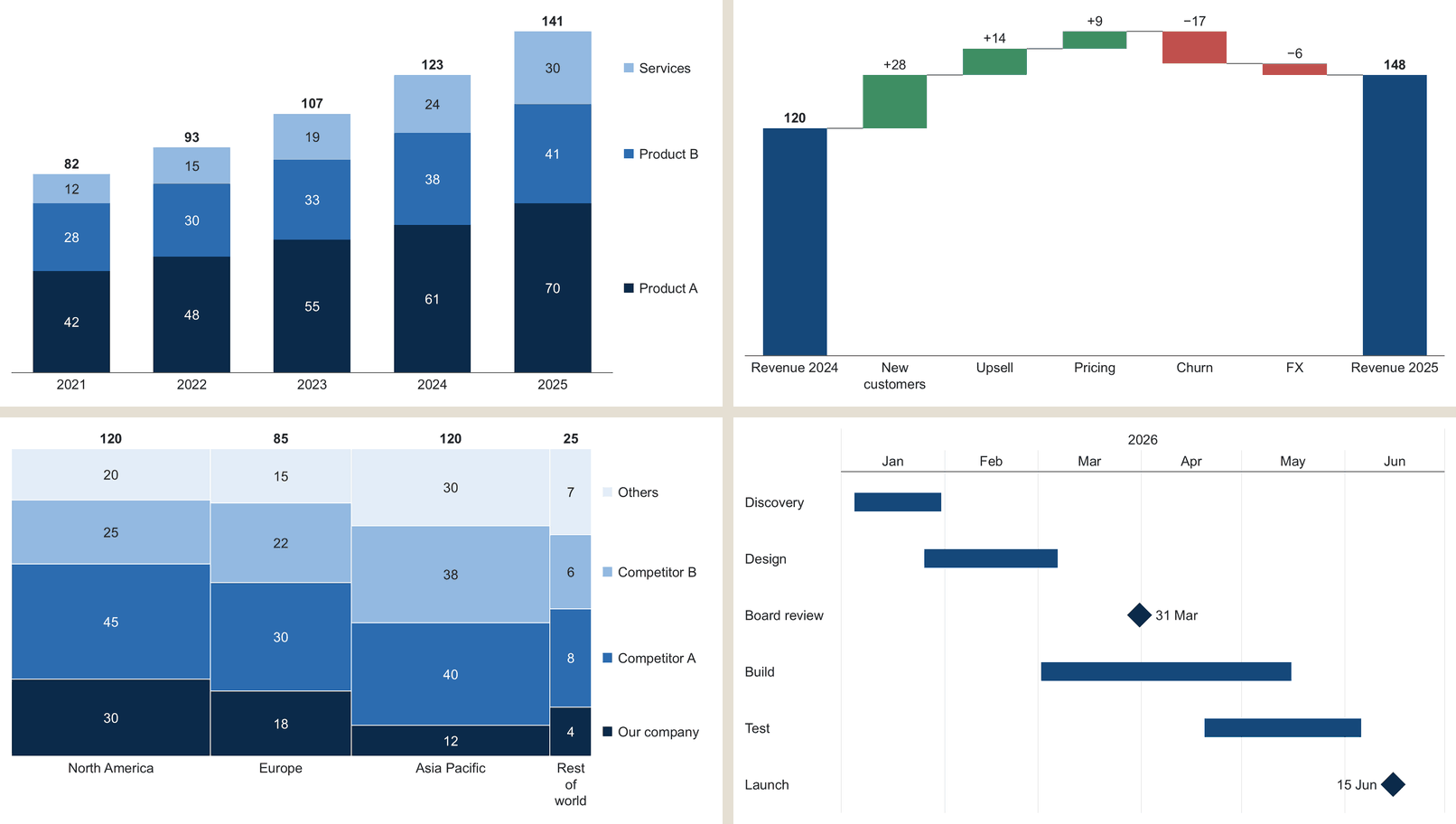
16 kinds of chart, from stacked bars to waterfall, Mekko and Gantt, drawn as real PowerPoint shapes. Double-click one to edit its data, and one Ctrl+Z takes it off. Decks with these charts open anywhere, a Mac included.
New on the SlideShortcuts tab
On Windows, everything on the SlideShortcuts tab is now built in: charts, 531 consulting templates, deck checks and more, with no panel to add. On a Mac, the tab puts Quick Actions, Icons and Send Slides one click away, and version 1.0.43 adds stickers like Preliminary and Draft on one key.
SlideShortcuts for Windows 17.3.0. The SlideShortcuts tab is the first tab, PowerPoint opens on it, and it stays first even with other add-ins that put their tabs before Home. Everything below sits on it and runs inside the app: no web pages, nothing to add from the Office Store.
16 kinds of chart, from stacked bars to waterfall, Mekko and Gantt, drawn as real PowerPoint shapes. Double-click one to edit its data, and one Ctrl+Z takes it off. Decks with these charts open anywhere, a Mac included.
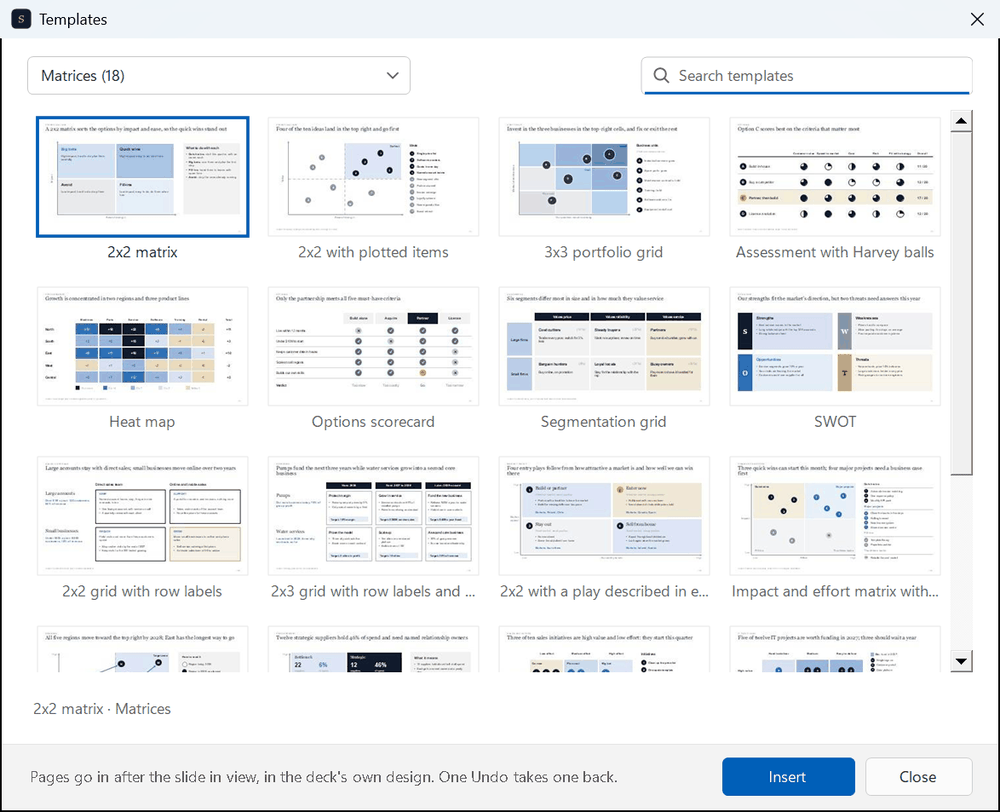
531 consulting pages, put in after the slide in view, in your deck's own colors and fonts. The text fits your deck's fonts.
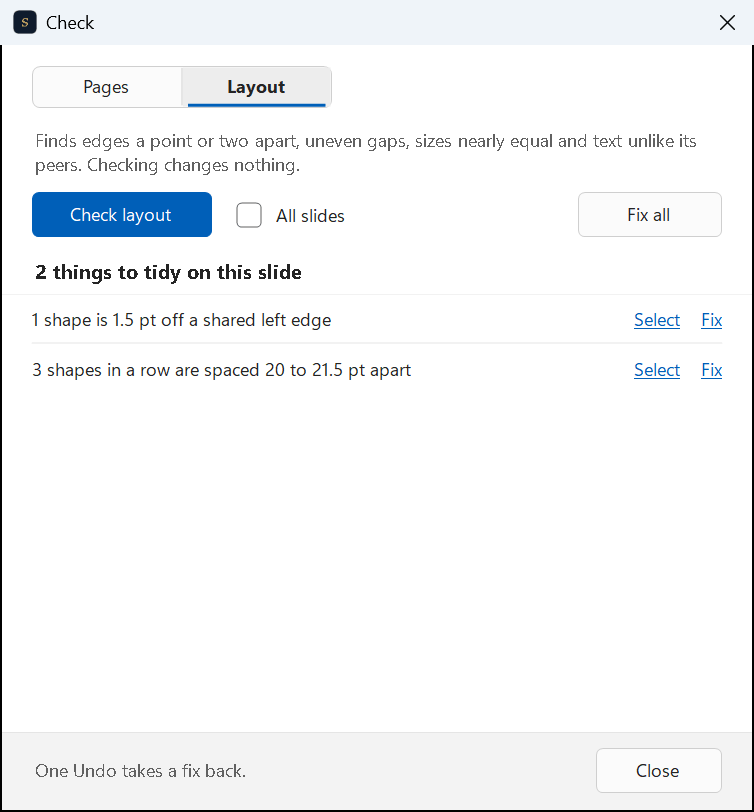
A note on every page that needs a look, and the layout slips (an edge a point off, uneven gaps) with Select and Fix.
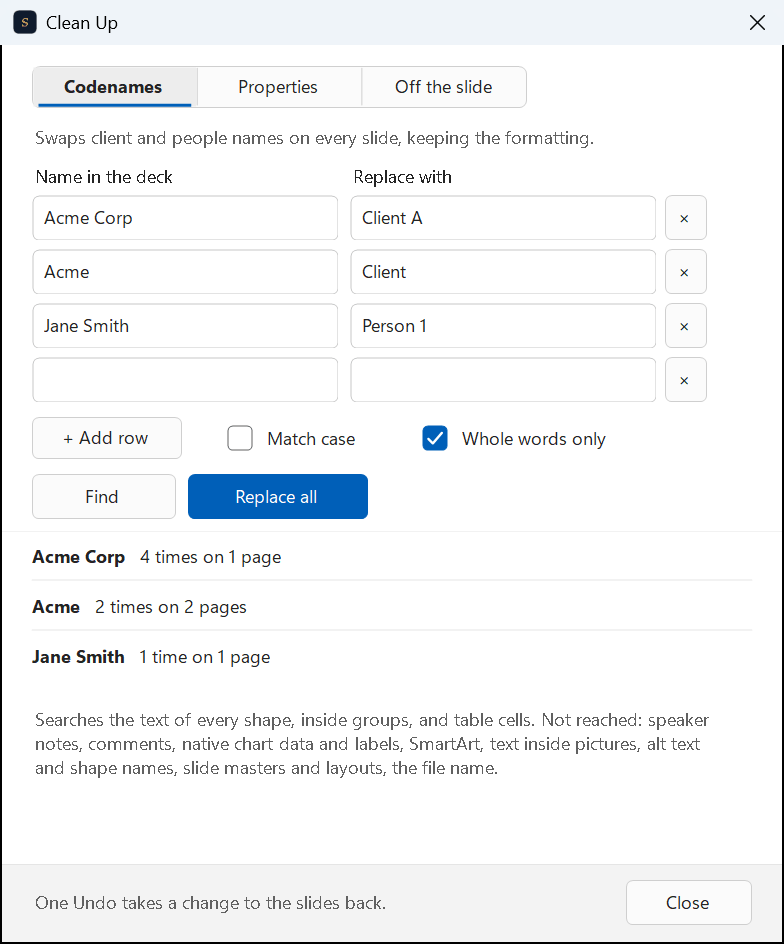
Client codenames, file properties and anything off the slide, cleared before the deck goes out.
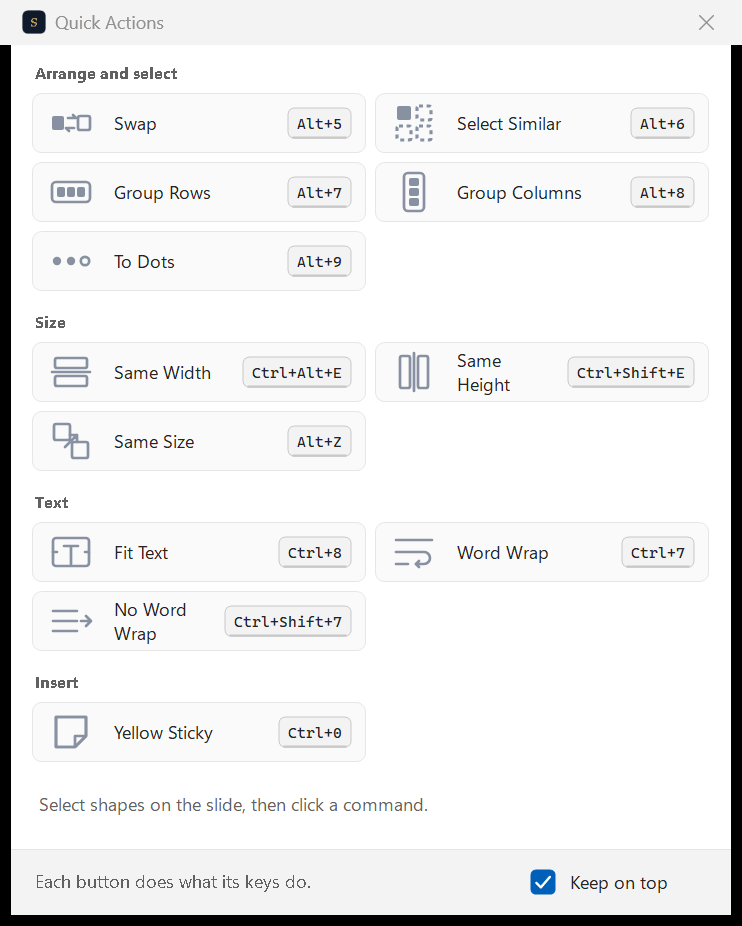
All twelve in one small window that stays above PowerPoint, each with its keys.
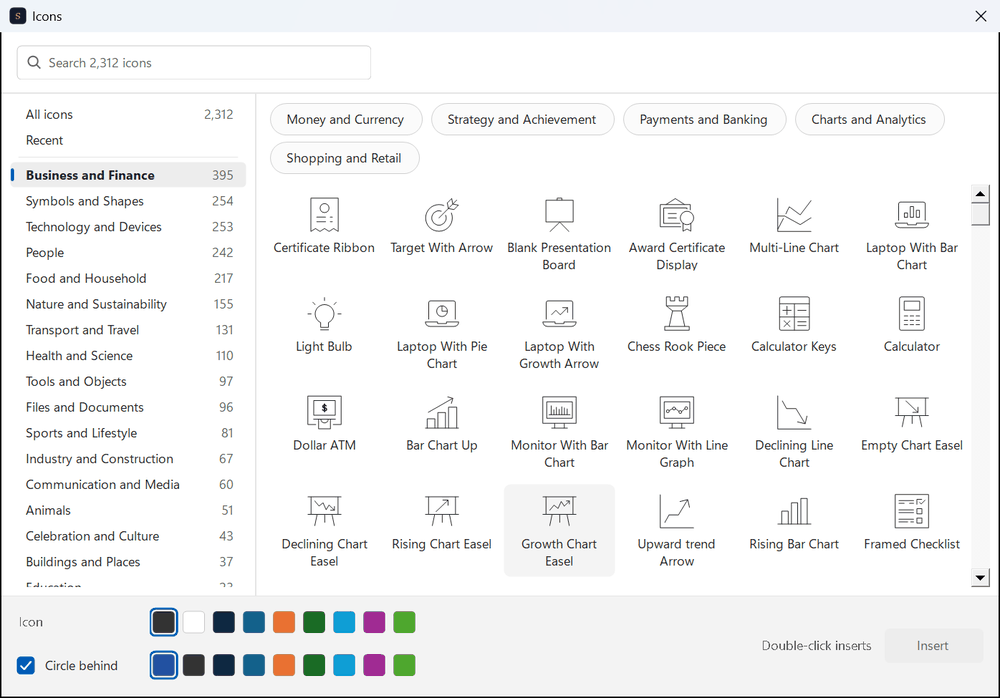
2,000+ icons by category or search, in your theme colors, with an eyedropper for any color on the screen.
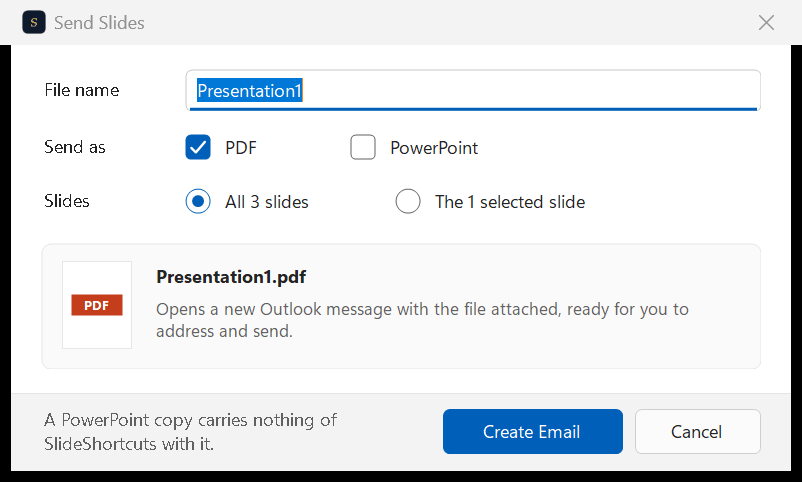
The slide, your selection or the whole deck, as a PDF or a PowerPoint copy, straight into a new email in Outlook, Gmail, Superhuman or your mail app, the new Outlook included. Ctrl Alt Shift S
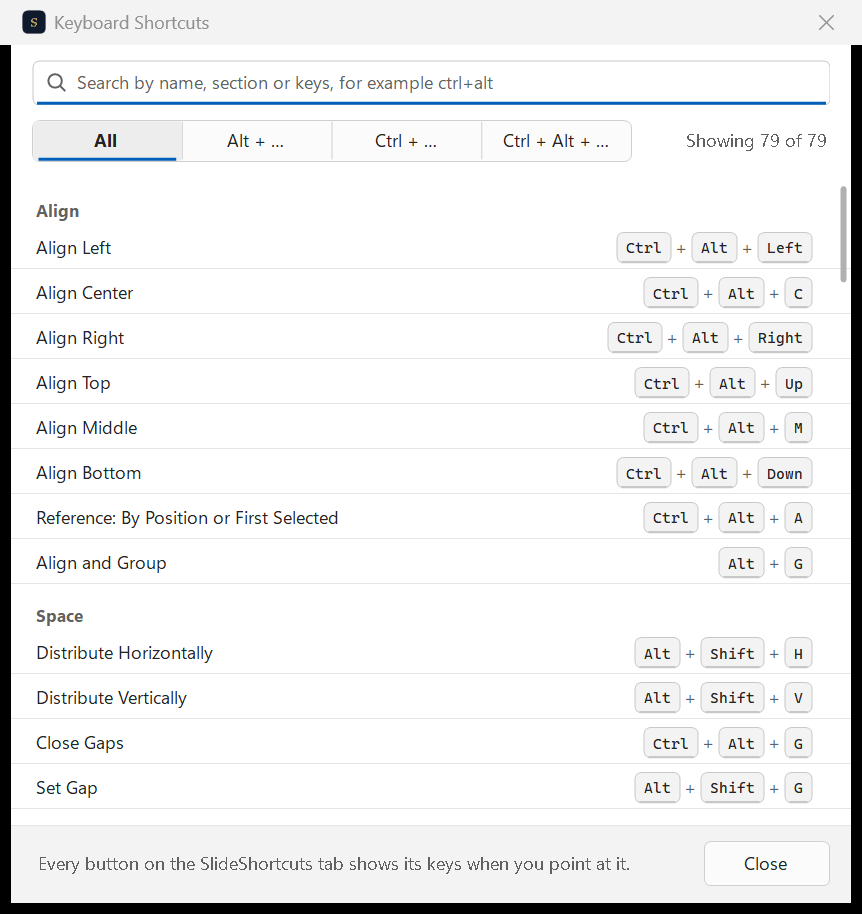
Every key in one searchable window. Click Change on any command and press the keys you want.
Work laptop? If IT blocks the installer, send them slideshortcuts.com/it. Charts needs Microsoft Edge WebView2, which Windows 11 and Microsoft 365 include; the first chart in a PowerPoint session takes about two seconds to start.
Updating removes the older panel. If a second SlideShortcuts tab is still at the end of the ribbon, that's the optional panel from the Office Store: keep it, or remove it in PowerPoint with Home, Add-ins, More Add-ins, then My Add-ins, right-click SlideShortcuts and choose Remove (on older versions, Insert, then My Add-ins).
SlideShortcuts for Mac 1.0.43. The SlideShortcuts panel now has 500+ consulting templates, and the app can put its own tab in PowerPoint, right before Home. If you haven't turned the tab on yet, it takes a minute.
Don't see the SlideShortcuts panel? It's a free add-in from Microsoft AppSource, separate from the Mac app.
70+ keyboard shortcuts for PowerPoint on Mac and Windows, and for Google Slides, with the tab above.
Start free trial7 days free, then $9.99 a month plus any tax. Card required. We email you 3 days before the trial ends. Cancel before day 7 and pay nothing.