Cycle and circle diagram templates for PowerPoint
Circular diagrams for processes that repeat or ideas around one center: four quarters, ring segments with rows beside, a hub with four to eight satellites, a hub with a takeaway, and mind maps. Use a cycle when the last step feeds back into the first. Each one arrives in your deck's own colors and fonts.
- Mac: all 32, in the Templates tab of the SlideShortcuts panel.
- Windows: all 32, under Insert > Templates on the SlideShortcuts tab.
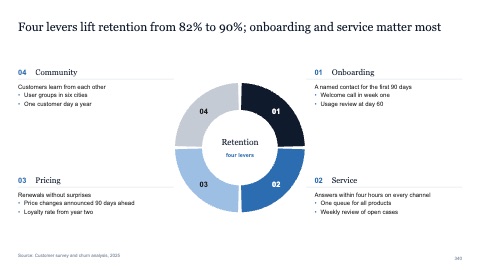
Four quarters with text in the corners
MacWindows
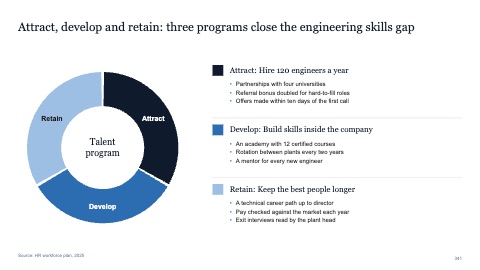
Three ring segments with rows beside
MacWindows
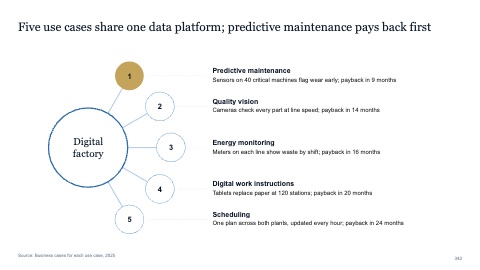
Hub with five satellites on an arc
MacWindows
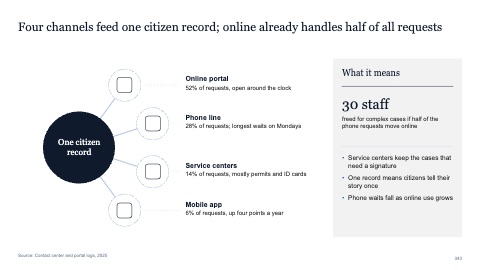
Hub with four satellites and a takeaway
MacWindows
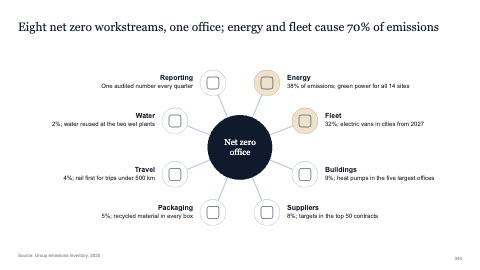
Hub with eight spokes
MacWindows
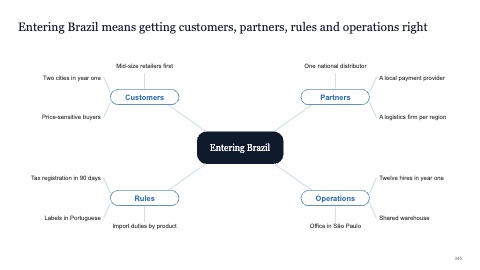
Mind map with four branches
MacWindows
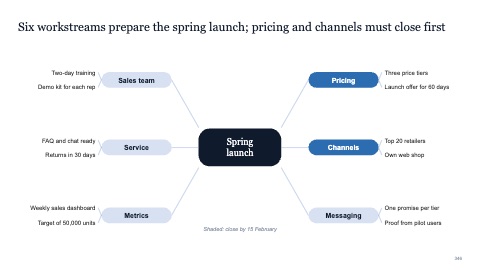
Mind map with six branches
MacWindows
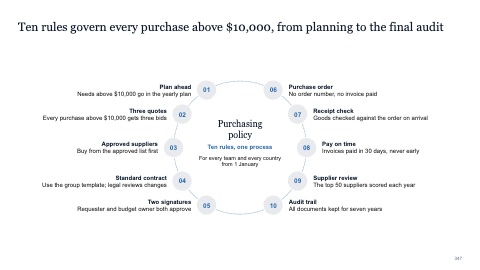
Circle with ten numbered points
MacWindows
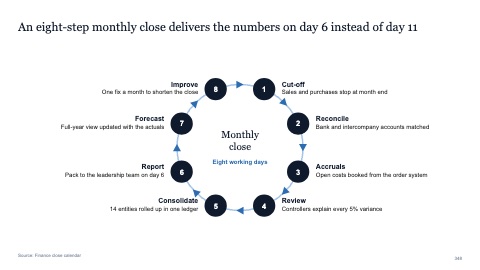
Eight-step cycle with numbered points
MacWindows
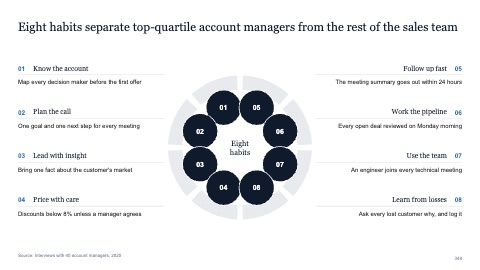
Ring of eight numbered circles
MacWindows
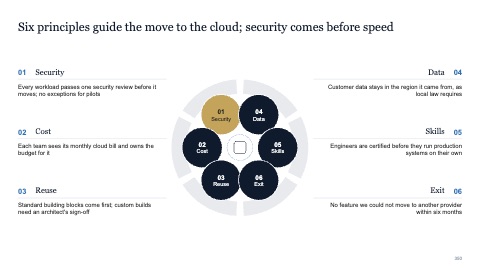
Ring of six labeled circles
MacWindows
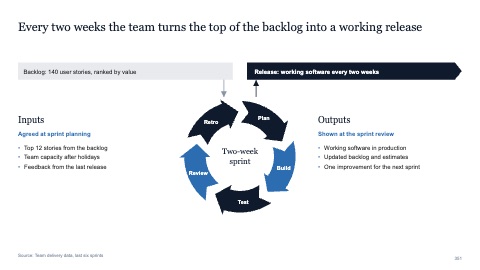
Sprint loop between backlog and release
MacWindows
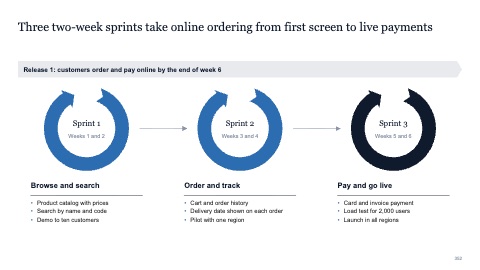
Three sprint loops toward a release
MacWindows
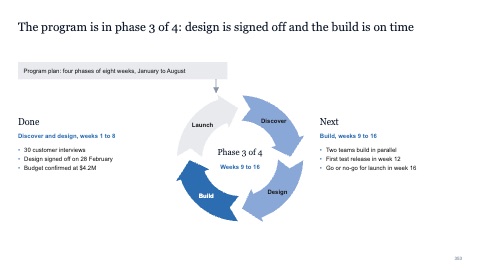
Loop with the current phase highlighted
MacWindows
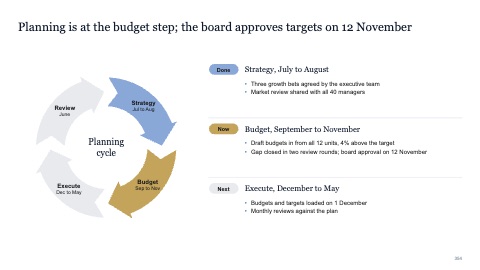
Cycle with done, now and next
MacWindows
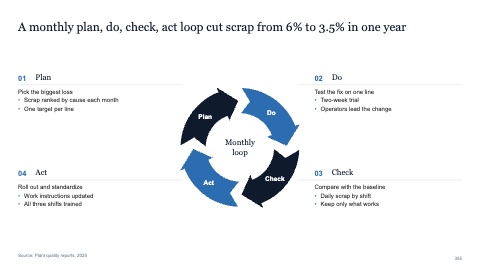
Four-arrow cycle with text in the corners
MacWindows
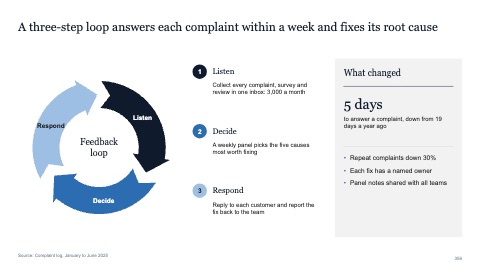
Three-arrow cycle with a takeaway
MacWindows
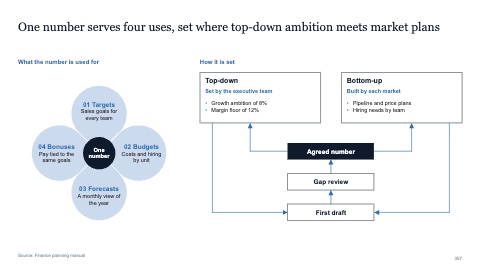
Four petals with a feedback flow
MacWindows
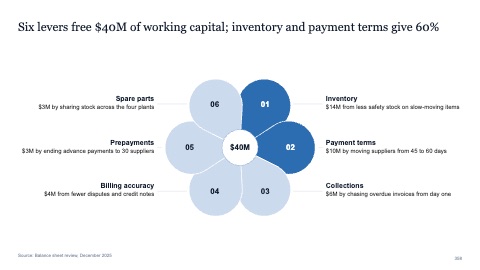
Six petals with labels outside
MacWindows
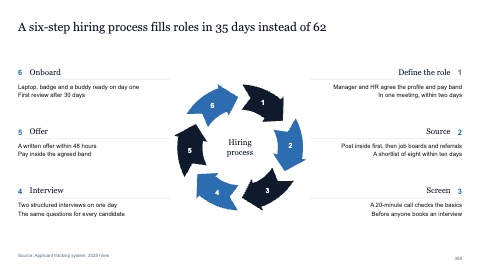
Six-step process circle with text both sides
MacWindows
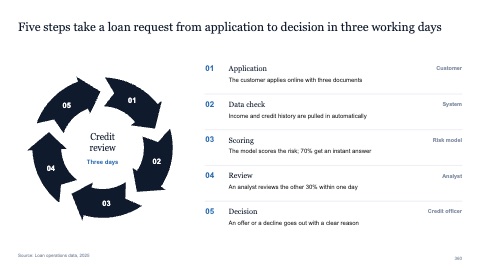
Five-step process circle with rows
MacWindows
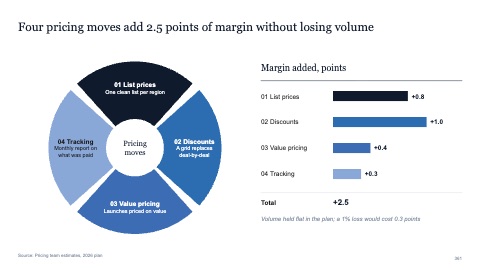
Four segments with text inside and a breakdown
MacWindows
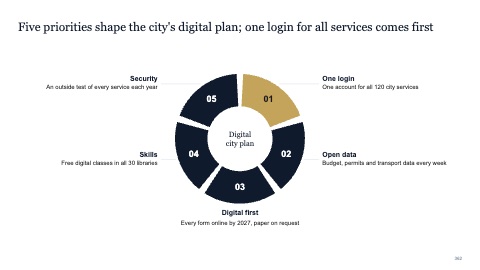
Five numbered segments with labels outside
MacWindows
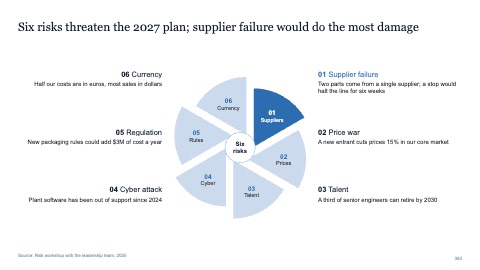
Six-blade pinwheel with text both sides
MacWindows
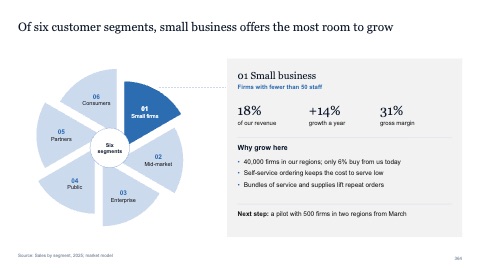
Six-blade pinwheel with one blade in focus
MacWindows
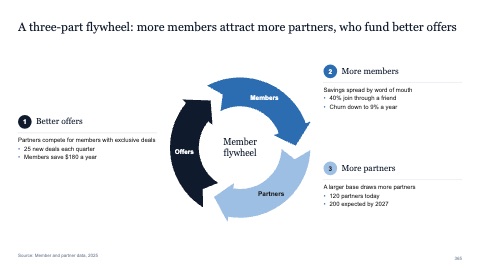
Three-arrow flywheel
MacWindows
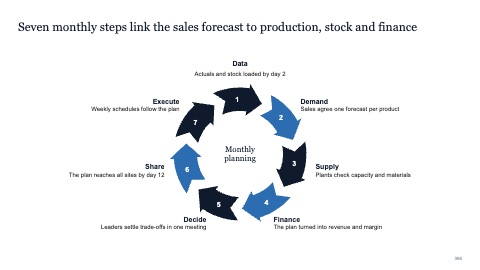
Seven-step cycle with labels around
MacWindows
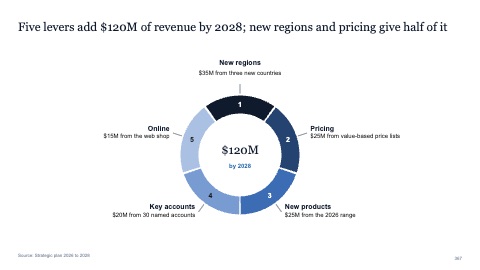
Five-segment ring with labels outside
MacWindows
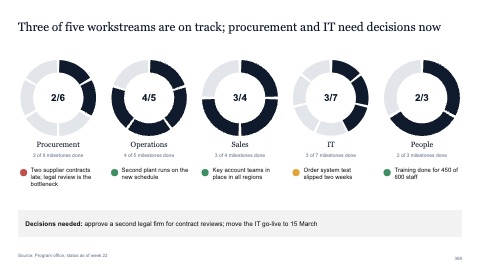
Progress rings for five workstreams
MacWindows
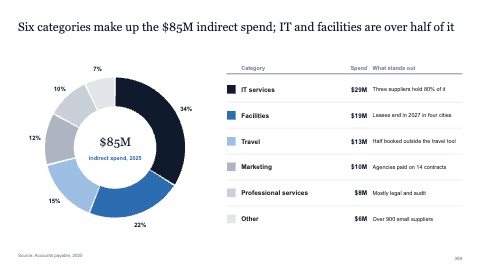
Ring of shares with a legend table
MacWindows
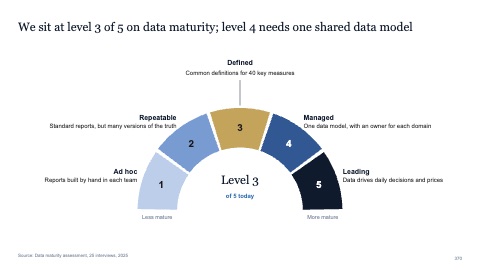
Half ring of five stages
MacWindows
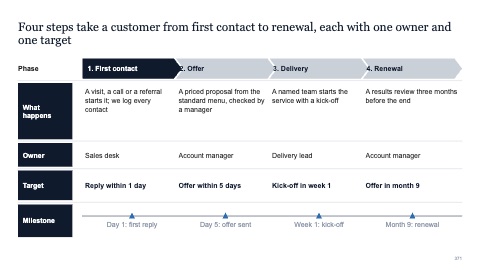
Four phases with owners, targets and milestones
MacWindows
Numbers and names on the templates are samples. Replace them with your own.
Questions
When should I use a cycle diagram?
When a process repeats, such as a planning cycle or a continuous improvement loop, so the last step leads back to the first.
How do I make a mind map in PowerPoint?
Put the main topic in the center, add four to six branches for the themes, and keep each branch to a few words. Insert a mind map here to start with balanced branches.
Try every page in your own deck
Every SlideShortcuts plan includes the templates, the keyboard shortcuts and the charts.
Start free trial7 days free, then $9.99 a month plus any tax. Card required. We email you 3 days before the trial ends. Cancel before day 7 and pay nothing.