Home › Templates › Customer journey maps
Customer journey map templates for PowerPoint
Journeys seen from the customer's side: touchpoints with a mood line, pain points with their fixes, a vertical journey with a mood scale, two customer groups compared, and journey dashboards with findings or status. Use them to point a team at the moments that matter most. Each one arrives in your deck's own colors and fonts.
- Mac: all 8, in the Templates tab of the SlideShortcuts panel.
- Windows: all 8, under Insert > Templates on the SlideShortcuts tab.
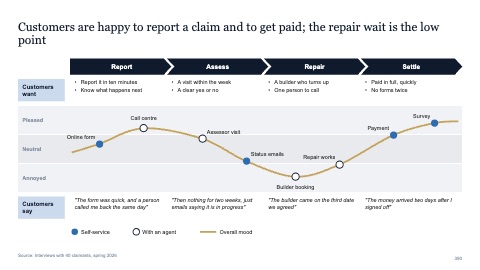
Journey with touchpoints and a mood line
MacWindows
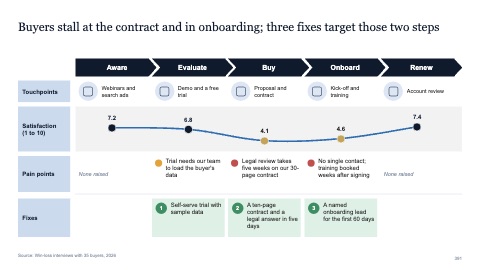
Journey with pain points and fixes
MacWindows
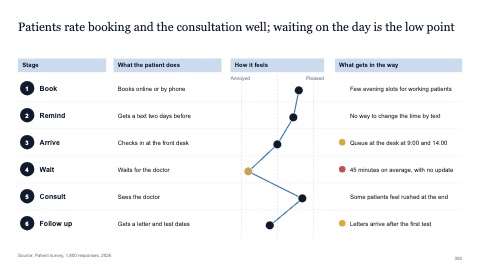
Vertical journey with a mood scale
MacWindows
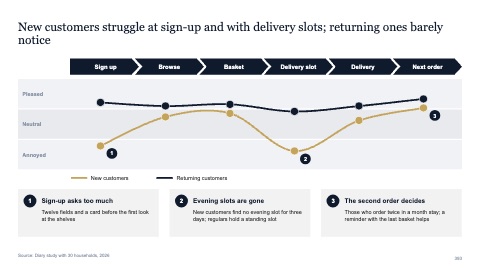
Journey for two customer groups
MacWindows
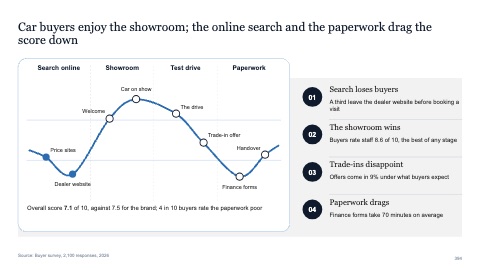
Journey dashboard with four findings
MacWindows
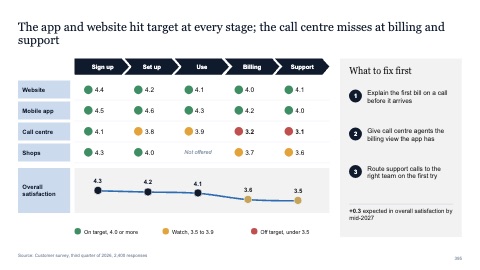
Journey dashboard with status dots
MacWindows
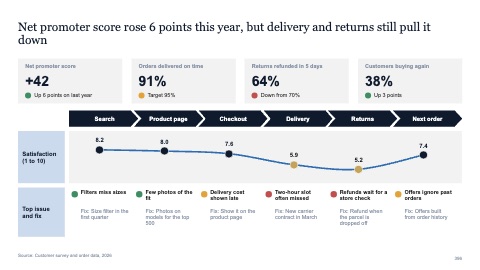
Journey dashboard with KPI tiles
MacWindows
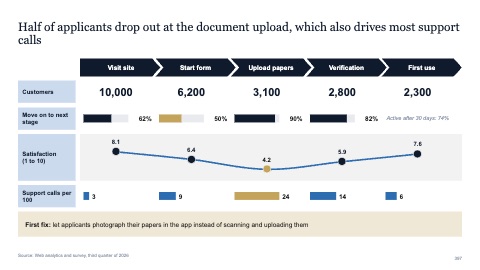
Journey with metrics per stage
MacWindows
Numbers and names on the templates are samples. Replace them with your own.
Questions
What is a customer journey map?
A picture of every step a customer takes with a company, from first hearing of it to buying and beyond, with what they do, feel and need at each step.
How do I show pain points on a journey map?
Mark the steps where the mood line drops and add one line on what goes wrong there. Pair each pain point with a fix, so the page leads to action.
Try every page in your own deck
Every SlideShortcuts plan includes the templates, the keyboard shortcuts and the charts.
Start free trial7 days free, then $9.99 a month plus any tax. Card required. We email you 3 days before the trial ends. Cancel before day 7 and pay nothing.