Home › Templates › Venn and overlaps
Venn diagram and overlap templates for PowerPoint
Diagrams about what things share: three-circle and two-circle Venns, three or four nested circles, core elements in quarter rings or around a center, and two parties with what they have in common. Use a Venn when the overlap is the point. Each one arrives in your deck's own colors and fonts.
- Mac: all 18, in the Templates tab of the SlideShortcuts panel.
- Windows: all 18, under Insert > Templates on the SlideShortcuts tab.
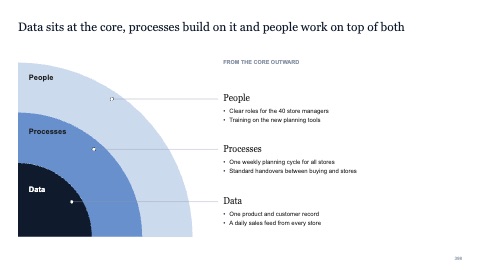
Three core elements in quarter rings
MacWindows
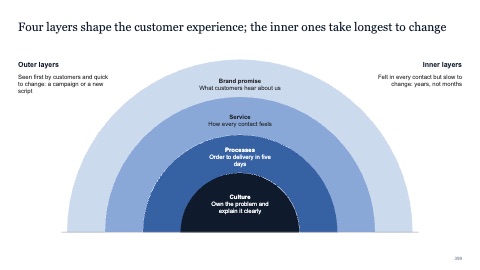
Four layers in a half circle
MacWindows
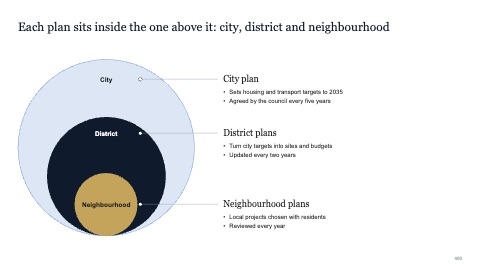
Three nested circles
MacWindows
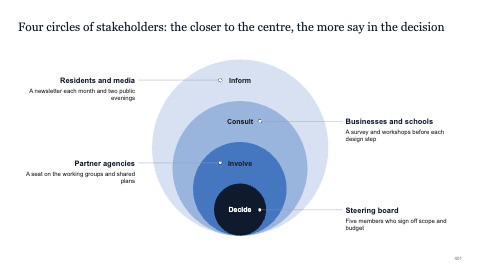
Four nested circles with notes on both sides
MacWindows
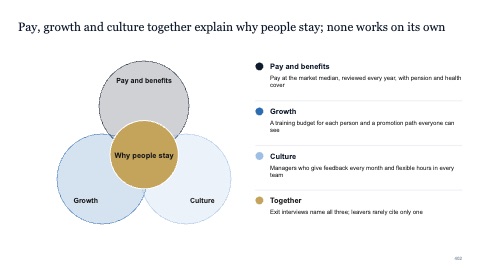
Three core elements around a centre
MacWindows
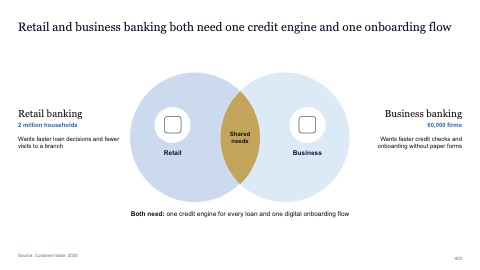
Two parties and what they share
MacWindows
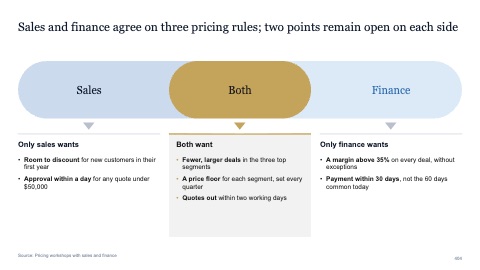
Common ground with three lists
MacWindows
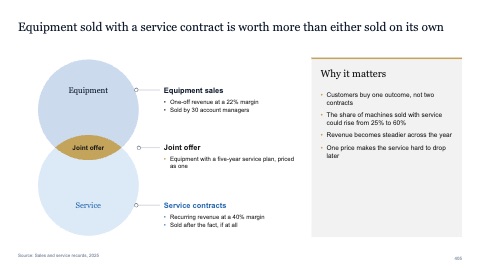
Two stacked circles with a takeaway
MacWindows
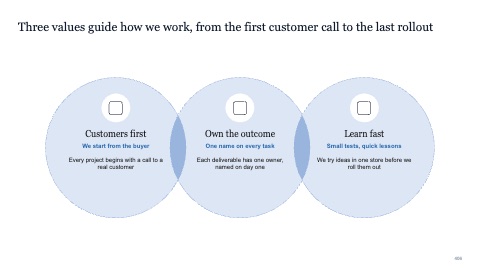
Three values in overlapping circles
MacWindows
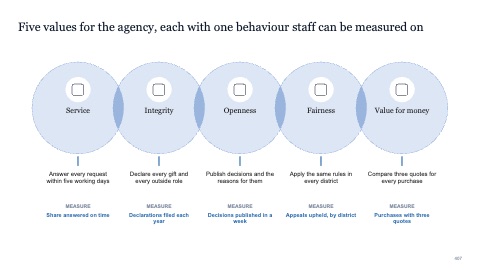
Five values with icons and measures
MacWindows
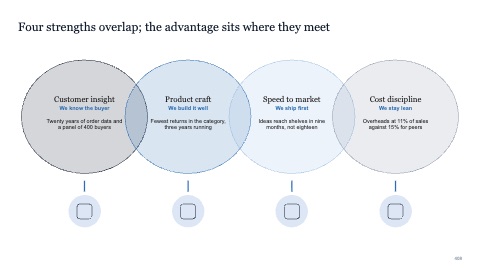
Four overlapping circles
MacWindows
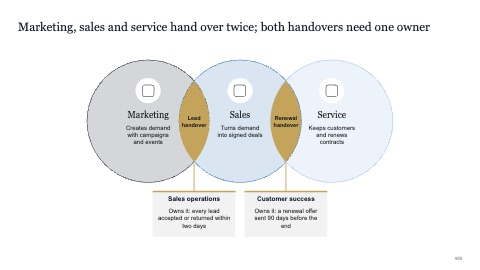
Three circles in a row with the handovers labelled
MacWindows
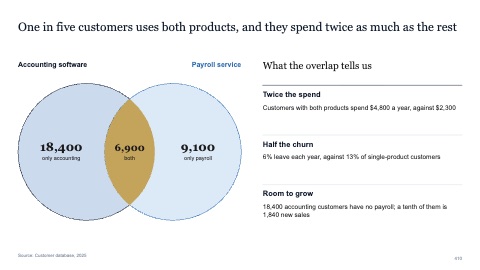
Two-circle Venn with counts
MacWindows
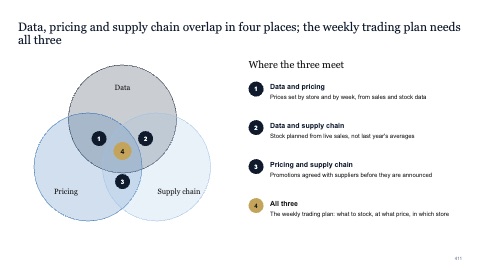
Three-circle Venn with every overlap named
MacWindows
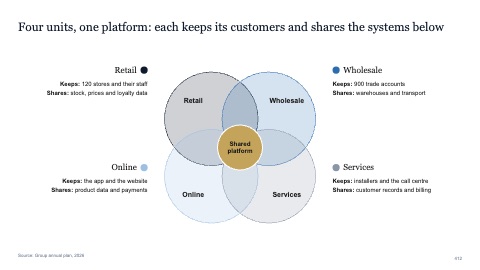
Four circles around one shared centre
MacWindows
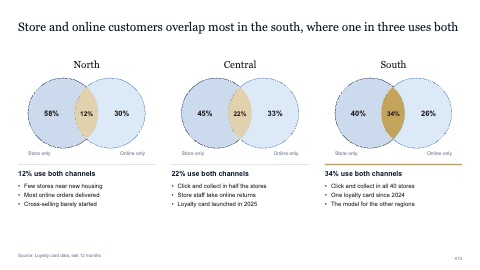
Three two-circle Venns side by side
MacWindows
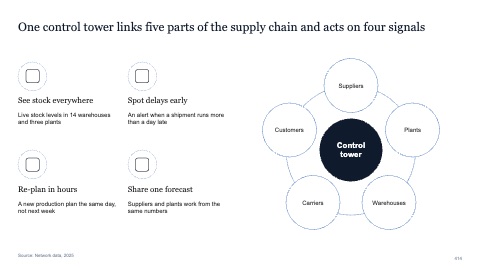
Hub with five elements and four notes
MacWindows
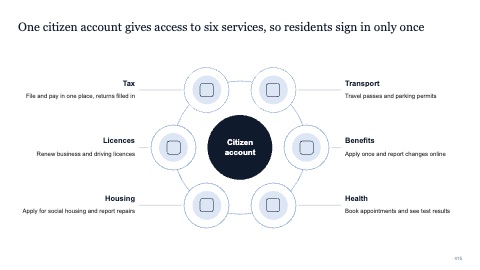
Hub with six services and notes
MacWindows
Numbers and names on the templates are samples. Replace them with your own.
Questions
How do I make a Venn diagram in PowerPoint?
Draw two or three circles of the same size, overlap them evenly, and make the fills partly transparent so the overlaps show. Label the overlap, not just the circles.
Venn or nested circles?
A Venn shows partial overlap between separate things. Nested circles show one thing inside another, such as a market, the part you can serve and the part you can win.
Try every page in your own deck
Every SlideShortcuts plan includes the templates, the keyboard shortcuts and the charts.
Start free trial7 days free, then $9.99 a month plus any tax. Card required. We email you 3 days before the trial ends. Cancel before day 7 and pay nothing.