Framework slide templates for PowerPoint
The text layouts every deck needs: three pillars, four columns with icons, two options side by side, from and to, labelled rows, numbered principles, a checklist and text with a so-what box. They turn a page of bullets into a structure the reader can scan. Each one arrives in your deck's own colors and fonts.
- Mac: all 20, in the Templates tab of the SlideShortcuts panel.
- Windows: all 20, under Insert > Templates on the SlideShortcuts tab.
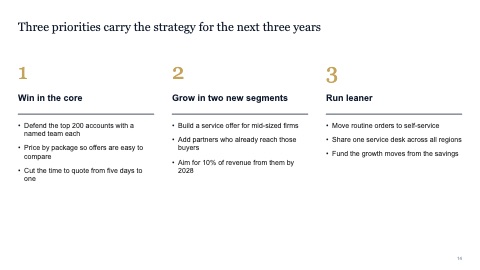
Three pillars
MacWindows

Four columns with icons
MacWindows
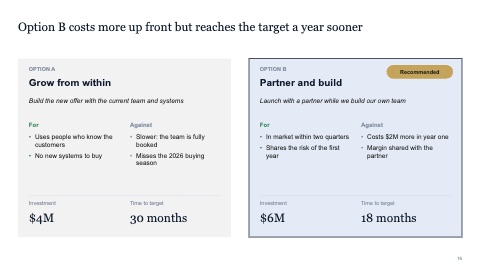
Two options compared
MacWindows
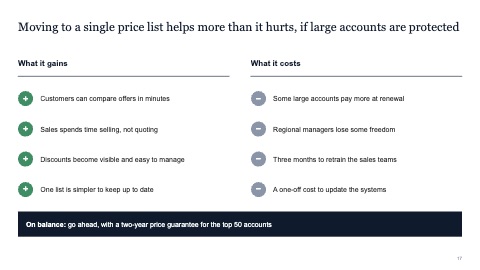
Pros and cons
MacWindows
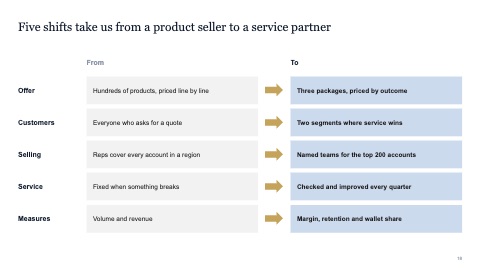
From and to
MacWindows
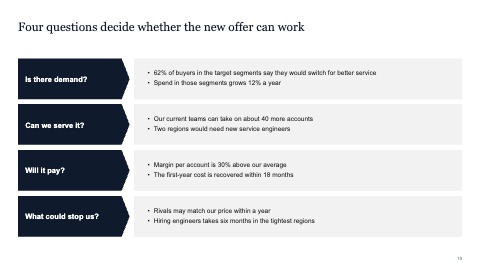
Labelled rows
MacWindows
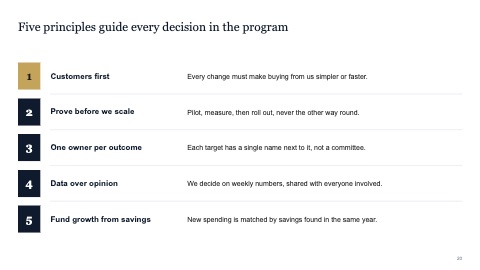
Numbered principles
MacWindows
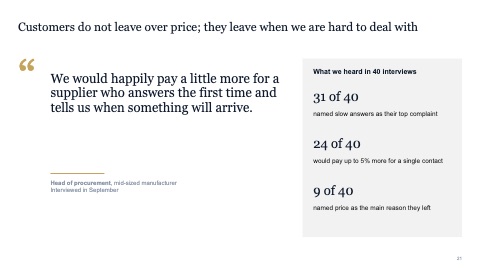
Quote with context
MacWindows
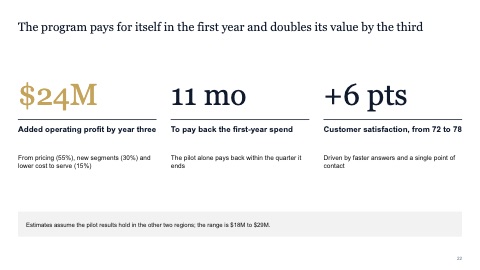
Three big numbers
MacWindows
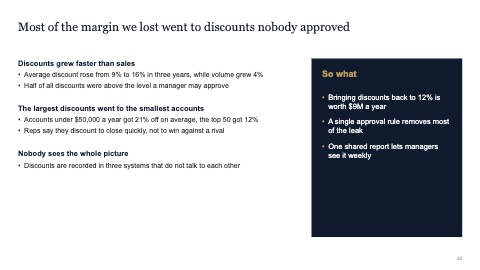
Text with a so-what box
MacWindows
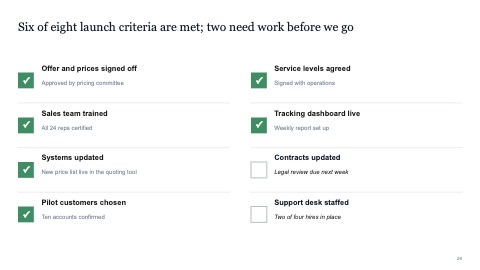
Checklist
MacWindows
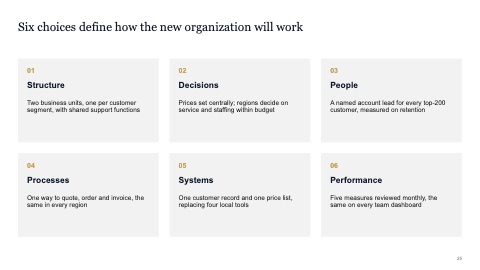
Grid of six cards
MacWindows
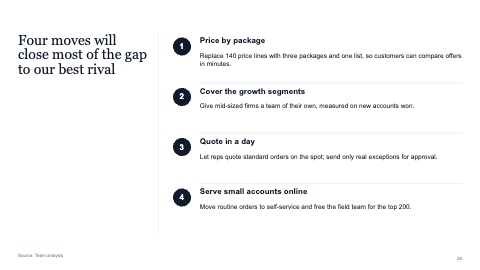
Side title with numbered points
MacWindows
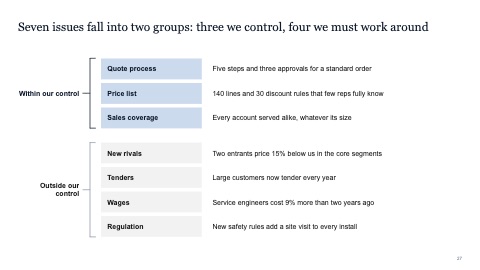
Points grouped with braces
MacWindows
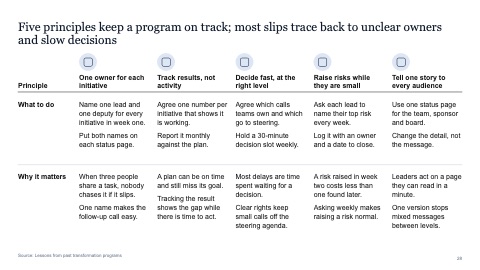
Five principles with what to do and why
MacWindows
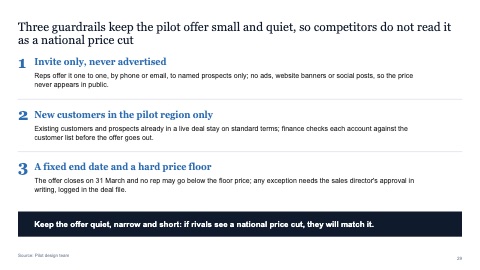
Three numbered guardrails with a closing message
MacWindows
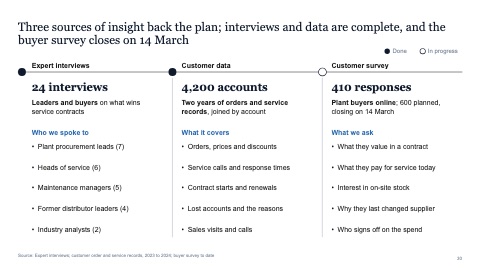
Sources of insight with status
MacWindows
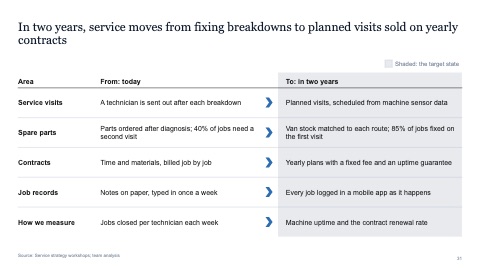
From-to table with a shaded target column
MacWindows
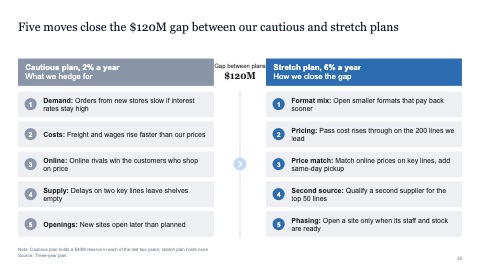
Two plans: risks to hedge for, moves to close the gap
MacWindows

Four customer segments with offers and market size
MacWindows
Numbers and names on the templates are samples. Replace them with your own.
Questions
What is a so-what box?
A short line, set apart at the bottom or side of a page, that says what the content means for the decision. If a reader only reads that box, they should still get the point.
When should I use a from-and-to slide?
When the message is a change: how something works today and how it should work after. Two columns, matched row by row, make the shift easy to see.
Try every page in your own deck
Every SlideShortcuts plan includes the templates, the keyboard shortcuts and the charts.
Start free trial7 days free, then $9.99 a month plus any tax. Card required. We email you 3 days before the trial ends. Cancel before day 7 and pay nothing.