Home › Templates › Process flows
Process flow templates for PowerPoint
Show how work moves: chevron processes, vertical steps, phases with their activities, a cycle, a decision flow and a swimlane by team. Each step is an ordinary shape, so adding one is a copy and paste, and the arrows stay lined up. Every page arrives in your deck's own colors and fonts.
- Mac: all 12, in the Templates tab of the SlideShortcuts panel.
- Windows: all 12, under Insert > Templates on the SlideShortcuts tab.
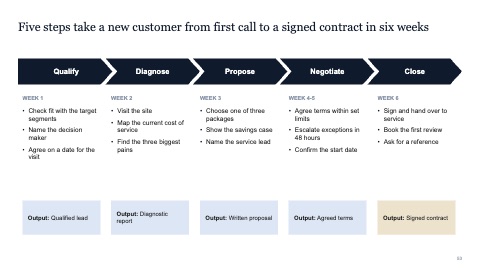
Chevron process
MacWindows
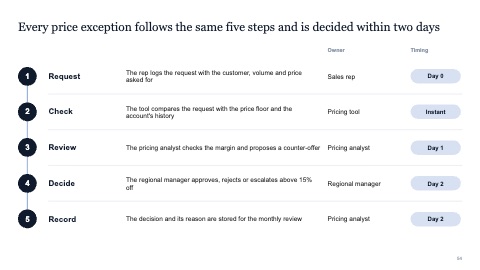
Vertical steps
MacWindows
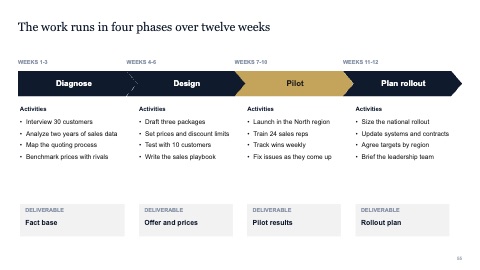
Phases with activities
MacWindows
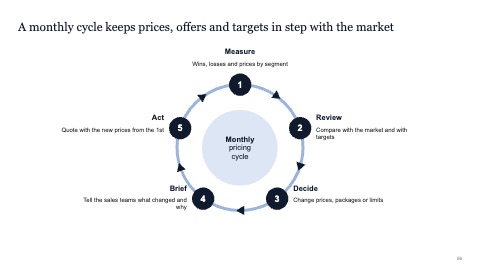
Cycle
MacWindows
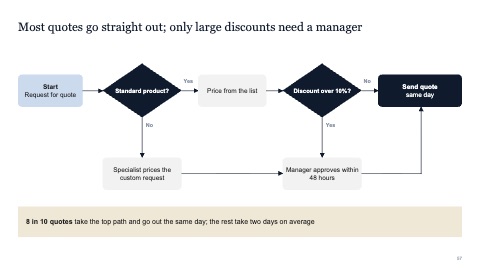
Decision flow
MacWindows
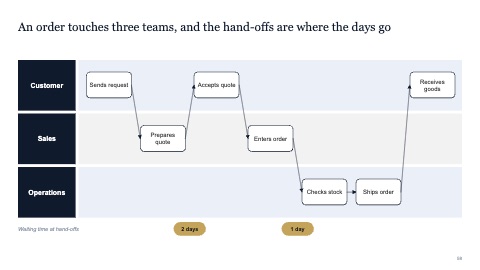
Swimlane process
MacWindows
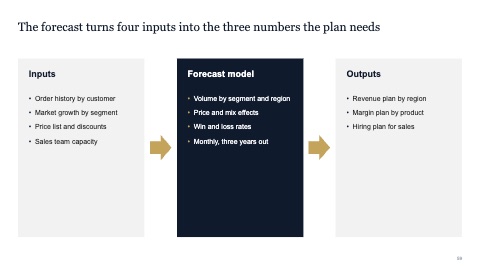
Inputs, process, outputs
MacWindows
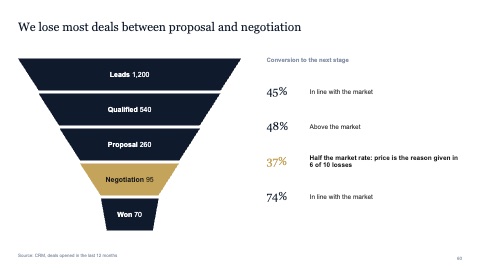
Funnel
MacWindows
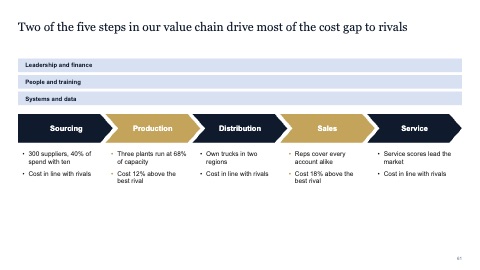
Value chain
MacWindows
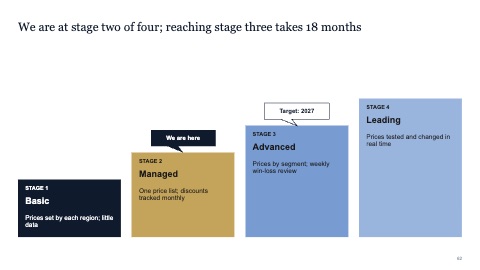
Maturity staircase
MacWindows
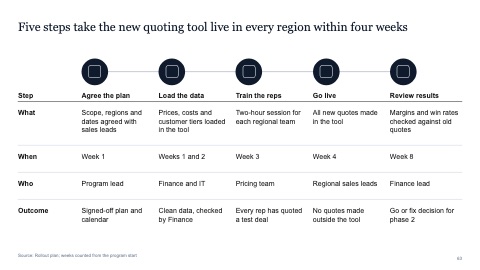
Five steps with icons, timing, owners and outcomes
MacWindows
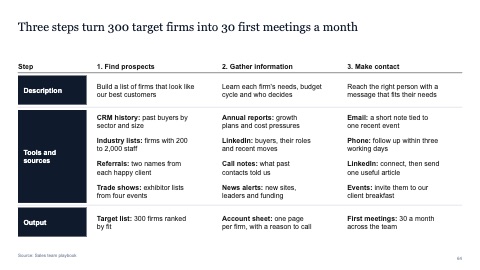
Three steps with row labels, sources and outputs
MacWindows
Numbers and names on the templates are samples. Replace them with your own.
Questions
How do I make a swimlane diagram in PowerPoint?
Make one row per team or role, then place each step in the row of whoever does it and connect the steps in order. Insert the swimlane page here to start from rows that are already lined up.
Chevrons or numbered steps?
Chevrons suit a short linear sequence of three to six phases. Numbered vertical steps leave more room for text when each step needs a sentence or two.
Try every page in your own deck
Every SlideShortcuts plan includes the templates, the keyboard shortcuts and the charts.
Start free trial7 days free, then $9.99 a month plus any tax. Card required. We email you 3 days before the trial ends. Cancel before day 7 and pay nothing.