Home › Templates › Timelines and Gantt charts
Gantt chart and timeline templates for PowerPoint
Plans a steering committee can read in ten seconds: a Gantt chart, a Gantt tracker by workstream, milestone timelines, a roadmap in three horizons, a phase plan grid and a 30-60-90 day plan. Bars and milestones are ordinary shapes, easy to move as dates change. Each page arrives in your deck's own colors and fonts.
- Mac: all 16, in the Templates tab of the SlideShortcuts panel.
- Windows: all 16, under Insert > Templates on the SlideShortcuts tab.
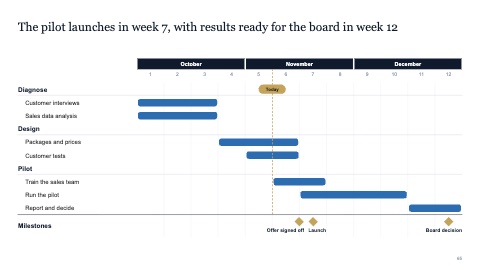
Gantt chart
MacWindows
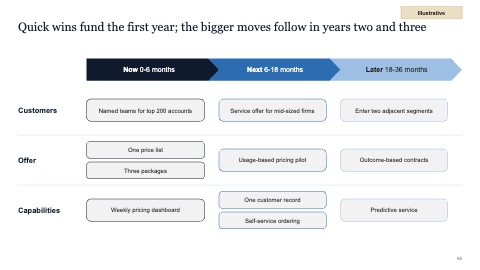
Roadmap in three horizons
MacWindows
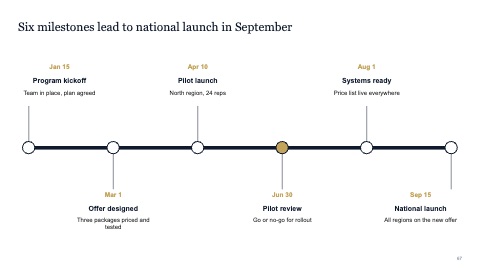
Milestone timeline
MacWindows
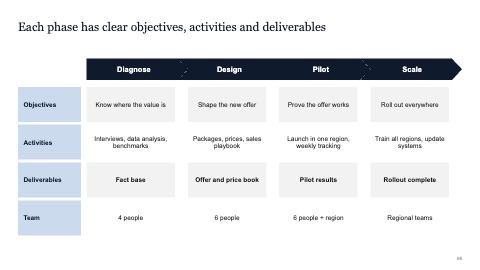
Phase plan grid
MacWindows
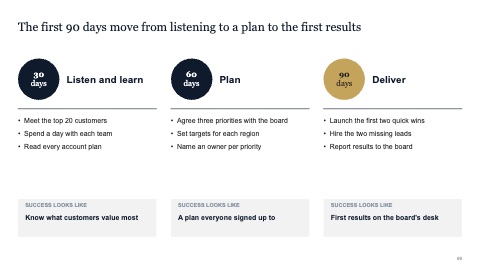
30-60-90 day plan
MacWindows
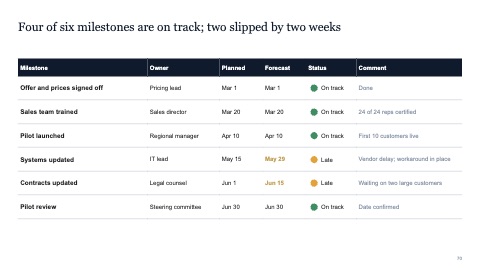
Milestone tracker
MacWindows
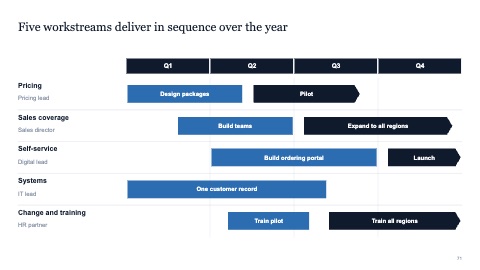
Workstream plan by quarter
MacWindows
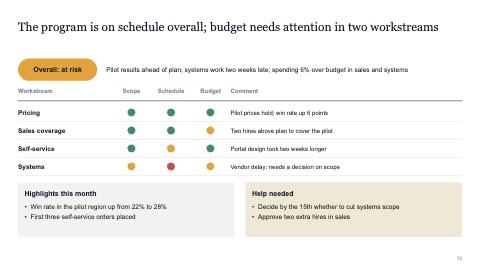
Status report
MacWindows
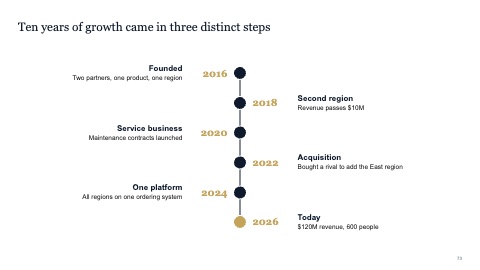
Vertical timeline
MacWindows
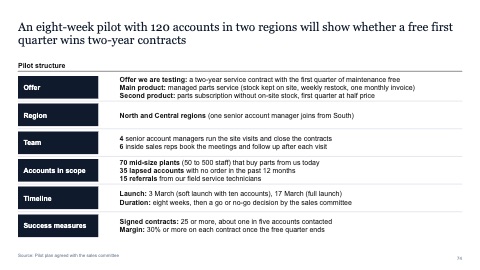
Pilot charter with labelled rows
MacWindows
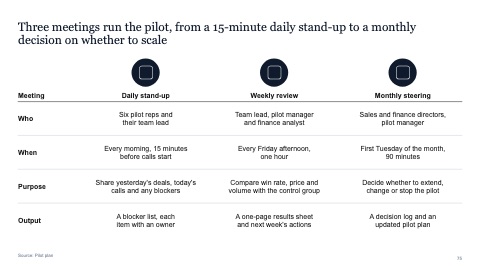
Meeting cadence for a pilot
MacWindows
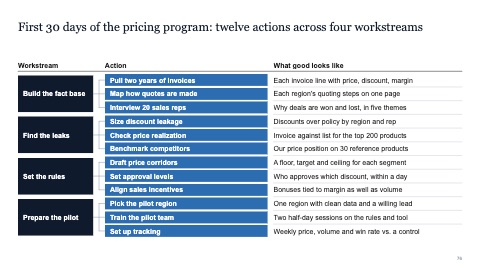
30-day plan of actions by workstream
MacWindows
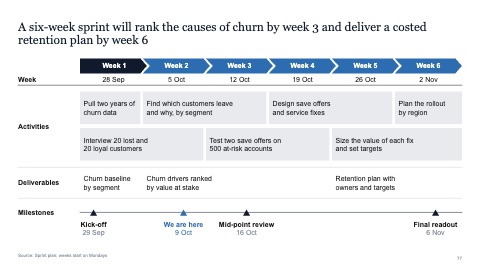
Six-week sprint plan with milestones
MacWindows
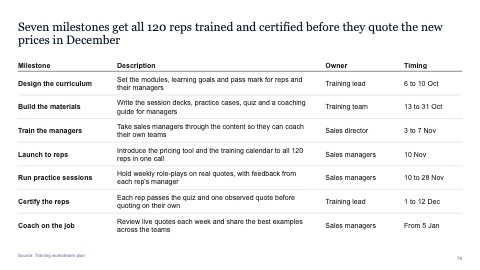
Milestone table with owners and timing
MacWindows
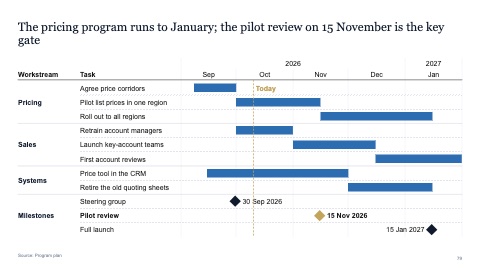
Gantt tracker by workstream
MacWindows
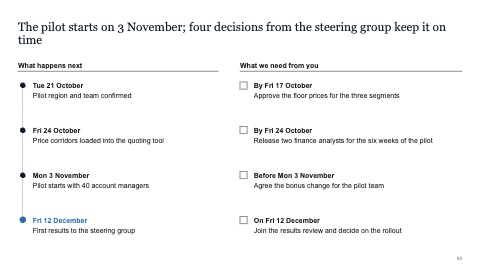
Next steps and decisions needed
MacWindows
Numbers and names on the templates are samples. Replace them with your own.
Questions
How do I make a Gantt chart in PowerPoint?
Put the time across the top in weeks or months, the activities down the side, and a bar for each activity from its start to its end. Mark milestones with a small diamond. Or insert a Gantt page here and drag the bars to your dates.
What is a 30-60-90 day plan?
A plan for a new role or project in three stages: what you'll learn in the first 30 days, what you'll change by 60, and what you'll deliver by 90.
Try every page in your own deck
Every SlideShortcuts plan includes the templates, the keyboard shortcuts and the charts.
Start free trial7 days free, then $9.99 a month plus any tax. Card required. We email you 3 days before the trial ends. Cancel before day 7 and pay nothing.