Home › Templates › Stakeholders and governance
Stakeholder map and governance templates for PowerPoint
The pages about who: an organization chart, a team page, a stakeholder map, project governance, roles and responsibilities and a customer persona. Use them early in a project to agree who decides, who does the work and who needs to hear about it. Each one arrives in your deck's own colors and fonts.
- Mac: all 8, in the Templates tab of the SlideShortcuts panel.
- Windows: all 8, under Insert > Templates on the SlideShortcuts tab.
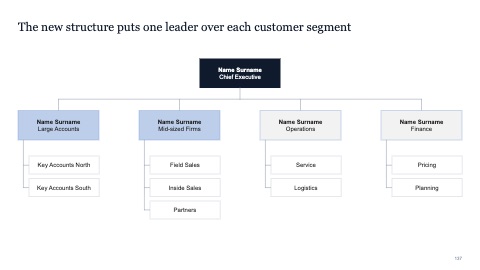
Organization chart
MacWindows
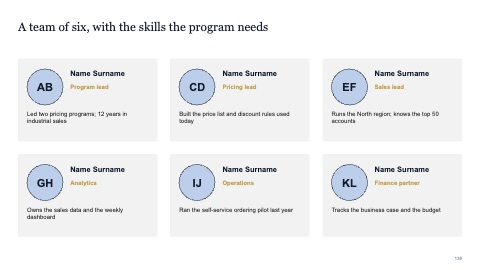
Team
MacWindows
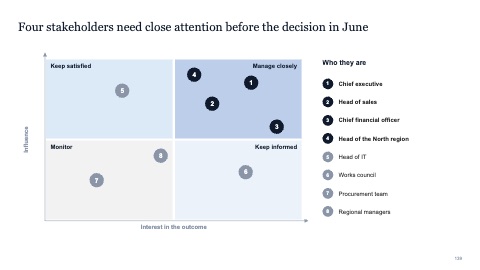
Stakeholder map
MacWindows
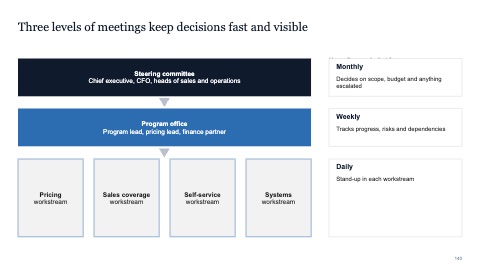
Governance
MacWindows
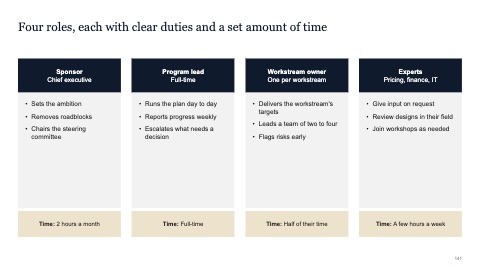
Roles and responsibilities
MacWindows
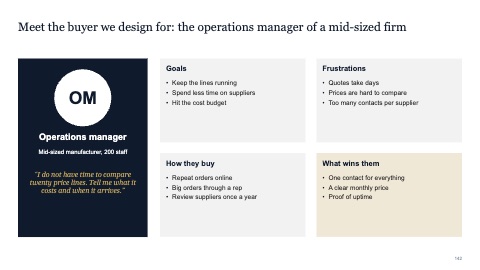
Customer persona
MacWindows
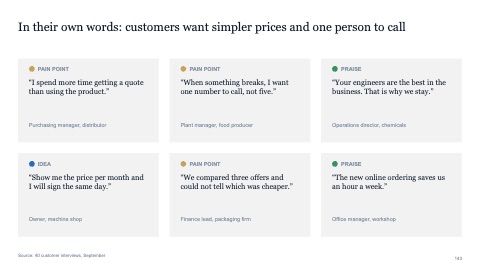
Voice of the customer
MacWindows
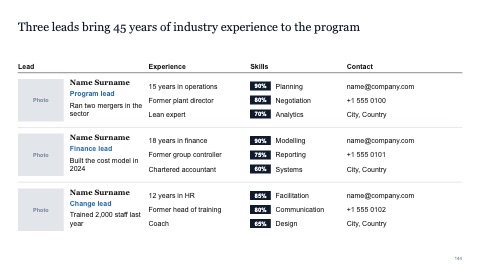
Team leads with experience, skills and contacts
MacWindows
Numbers and names on the templates are samples. Replace them with your own.
Questions
What is a stakeholder map?
A grid that places each stakeholder by their influence over the outcome and their support for it. It shows whom to involve closely, whom to keep informed and where to spend time first.
What belongs on a governance slide?
The bodies that steer the work (a steering committee, a project team), who sits in each, how often they meet and what each one decides.
Try every page in your own deck
Every SlideShortcuts plan includes the templates, the keyboard shortcuts and the charts.
Start free trial7 days free, then $9.99 a month plus any tax. Card required. We email you 3 days before the trial ends. Cancel before day 7 and pay nothing.